
• Home
  • Films, Documentary, Video
  • Projects
  • Archives
  • Tumblr
  • About


Time-Lapse Tutorial

Posted by: Zach Wise    Tags:  Time-Lapse, Tutorials    Posted date:  January 30, 2007  |  176 Comments


I’ve put together a tutorial on how to shoot a timelapse using a DSLR and intevelometer. The tutorial covers everything from settings you should use to making the time-lapse video in quicktime.

Let me know if the tutorial was useful. I’ll try and do some more tutorials if this one is recieved well. Also, if you’ve made a time-lapse, post a link to it in the comments.

  • Recommend on Facebook
  • Tumblr it
  • Tweet This
About the author
Zach Wise is an award-winning former Senior Multimedia Producer for The New York Times and Associate Professor at Northwestern University.


Related Posts


Demo Reel 2008

2008 demo reel showcasing my work as a Producer, Editor, Videographer and Animator.

US 95 South of Boulder

Five miles south of Boulder City, right off US-95, you'll find a dry lake bed. On Independence Day, the dry lake bed fills with campers, trucks, cars,...

Stella Lake Midnight Time-Lapse

This is a short time-lapse of Stella Lake at midnight. Stella lake is an alpine lake in the Great Basin National Park near Baker Nevada.


  • http://twitter.com/mauricioconti/statuses/1072084206 mauricioconti (Mauricio Conti)

    @dsollero Show de bola este tutorial de time lapse que vc passou http://tinyurl.com/776n3z

  • http://twitter.com/dsollero/statuses/1071339936 dsollero (Daniel Sollero)

    O melhor tutorial de time-lapse photography que j? vi: http://tinyurl.com/776n3z

  • koci

    tnxs, seriously. well done.. more more more……

  • http://bobsacha.com bob sacha

    Zach:

    great stuff. I agree : more!

  • Richard Lui

    great stuff. i’ve seen everyone of your shows. Are you using After Effects for the “Ken Burn” moves?

  • http://digitalartwork.net Zach Wise

    Richard,
    No I’m just using FinalCut Pro and using the motion/zoom curves. They work a lot like After Effects in that you can ease and keyframe etc.

  • http://www.milesfrommaybe.com/visualedu/2007/02/05/presentation-for-vico520-gathering-content/ milesfrommaybe » presentation for vico520 – gathering multimedia content

    [...] Time-lapse tutorial Zach Wise [...]

  • http://www.milesfrommaybe.com/visualedu/2007/02/05/presentation-for-vico520-gathering-multimedia-content/ milesfrommaybe » presentation for vico520 – gathering multimedia content

    [...] Time-lapse tutorial by Zach Wise [...]

  • http://www.jessyjones.net jessy jones

    thank you for the tutorial. i will post a link to one when i make it! i’m getting started this week….

  • http://www.corneveaux.com caddymob

    This is great, thank you. I have been taking some test runs — when I get a good one indeed I will post. I have a question though — If when doing something like a sunset, how can you keep the speed and f-stop the same? The scene goes from light to dark… Whats the trick? I am actually doing one right now, and just sat there and slowly increased the exposure time but I am sure when I compile the sequence there will appear to be sudden changes in the light. Have any pointers?

    THANKS!!!

  • http://www.corneveaux.com caddymob

    Ok, compiled two of my sequences into one, posted here:

    http://corneveaux.com/gallery2/v/Time_Lapse/Experiments+in+Time+Lapse+%231.flv.html

    As you can see in the 1st video, as it got darker I had to go from a 1/200 exposure to a 20 second exposure — and it shows. So then, whats the trick?

    For anyone curious, this is shot with a Canon XTi using the same remote Zach mentioned and the sequences were rendered in Sony Vegas 7. I was only able to get ~600 shots for each sequence before the battery died. Have a plug -in power supply on the way (Canon ACK-DC20 AC Adapter Kit).

    Thanks!

  • http://digitalartwork.net Zach Wise

    I think the best way to handle going from day to night is to keep the exposure and f-stop the same and let the frame go dark. Then stop the intevelometer and set your exposure for night. Then in FinalCut or any other video editor, do a cross dissolve to make the transition from day to night.
    Here is an experiment I did awhile ago, but I haven’t done the transition.
    DayNight

  • GregoryO

    I’m interested in giving this a try. I’m hoping to use the EOS Capture utility (part of the Digital Photo Pro software from Canon) that came with my EOS 20D on a Mac Laptop (at least as soon as I get an AC adaptor for my EOS). I’ve also had success with using my Sony HDR-HC1 HD camcorder using the time-lapse mode in iMovie. Of course the problem with both these techniques is that you have a lot of hardware outside for a long duration, and the need for an AC power supply.

    I am very interested in the zoom and pan effects that I’ve seen in some time-lapse videos. Particularly at this site here: http://www.sandboxla.com/

    Are these all created using FX in editing software? Or is there a way to creep the zoom. I’m thinking that a slow pan could be accomplished with a telescope drive motor or some equivalent.

    Any thoughts appreciated. And thanks for the great tutorial! It’s inspiring.

  • http://www.lostandfoundphotos.org,www.lostandfoundphotos.com tod

    this is maybe the most useful photography tutorial i’ve seen. wow.

  • yunir

    Excellent tutorial!
    I’ve never known about the shutter drag before.

    Thank you very much!

  • yunir

    Hi Zach, I hope you don’t mind, I’ve uploaded the video to Stage6.

    http://www.stage6.com/user/yunir/video/1931207/

    Thx!

  • http://www.plan9music.co.nz David Donaldson

    Thanks so much for the great tutorial.
    At the moment I can only afford one camera so I went for a video camera.
    I have been making timelapse using sped up video but I am now really keen to get an SLR and start making timelapse this way. (I’m going through too much video tape my way)
    Here is a link to one of my timelapses for anyone who is interested.
    http://www.stage6.com/user/ThrashingMarlin/video/1930694/Sea-Of-Tranquility
    Thanks
    David

  • http://photojojo.com/content/tutorials/ultimate-guide-to-time-lapse-photography/ Photojojo » The Ultimate Guide to Time-Lapse Photography

    [...] out this excellent video tutorial that covers how to shoot and edit time-lapse movies, from Photojojo friend Zach Wise. He uses an [...]

  • greg

    VERY helpfull..
    thanks

  • Larry

    Thanks for the great tutorial here is my effort:

    http://www.youtube.com/watch?v=3RUCOTcnDsQ

  • http://www.djkennedy.com Derek Kennedy

    Awesome tute! Would love to see more!

    Used my 40D, Tamron 17-55mm 2.8, and a Canon TC-80N3.

    At work one day at the local airport I set up the camera inside to protect it from flying debris, and from ‘walking away’. Spots are not sensor spots but dirt on the window I shot through.

    .8 second exposures, F32, every 5 seconds. Cokin P154 ND filter to cut down the amount of light to get a slower ss (darn lens is too fast! – Never heard anyone complain that their lens was too fast!) :P

    In my video program, I believe I set the rates at slides on screen for .2 seconds, and transition of .075 seconds.

    Added a few frames of text so if you view the vid, wait until at least half loaded before pressing play. Quicktime viewer 7 required to view.

    link

  • Gabriel Regalbuto

    I’ve made a couple of attempts to get a working time-lapse system. First with a home-wired intervalometer and a p&s camera, and most recently with the Canon controller and a 10d slr. In both cases, I’m having issues with missing frames. For some reason, when I get down in the 3sec interval range, I will miss a frame every 30 or so.

    Have you experienced this? What camera are you using?

  • Graham Ella

    Zack, great tutorial. Did my first time lapse today on Canon 5D and TC80, I have a few questions.
    1. Is there anyway to globally clone the dreaded dust spots off the sensor, because they stand out a mile on a time lapse with clouds rolling across a sky? And to clone numerous spots off 300 frames would be a pain in the a&*.
    2. Same goes for correcting a converging vertical, basically I have a building in the foreground and lots of clouds rolling over it, looks great for my first attept but would like to correct the verticals if possible.
    I did manage to open the Quicktime in Photoshop CS3 cloned and sharpened, then tried exporting. It worked but only on the first frame, and the playback of this exported file stopped and jumped erratically?
    Thanks again
    Graham

  • http://www.pbase.com/rod_ostoski Rod Ostoski

    Thank you for such an great tutorial. You really seem to have a talent for this sort of thing.

    I did have one question. When capturing for example, a sunset or night falling on a city, and you’ve got your DSLR all manually locked down clicking away with the Intervalometer, how are you compensating or changing the exposure as it gets darker?

    Thanks,
    Rod

  • http://www.carlosdelgadophoto.com Carlos Delgado

    Nice tutorial. How do I get a folder of vertical images to stay vertical in the image sequence???

  • http://www.antchagas.com António Chagas

    Once again like I said before you make a great work.

    Congratulations,
    António Chagas.

  • http://antchagas.com/?p=48 Time Lapse Shooting… at antónio chagas

    [...] aprender a fazer isto nos seguintes sites: Lighting Mods – Aqui! DigitalArtWork – Aqui! Espero que gostem, [...]

  • http://sullivan1985.deviantart.com/ Michael Sullivan

    Thank you for posting this. I know how to shoot a time lapse, but I could never find a good program to compile the video. Thank you very much for making this available.

  • http://www.torphoto.com TOR

    Zach – as for shutter speed…do you think you can ‘over’ drag the shutter? What’s your experience been with exposures longer than 2 seconds per frame?

    Thanks,
    TOR

  • http://digitalartwork.net Zach Wise

    I’m sure in certain situations you could ‘over drag’ the shutter, depending on what you’re trying to capture and the frame rate you play it back at. For the most part though, I think you want the camera to be exposing as much as possible leaving little time in between frames captured.

  • DB

    Nice work. Thanks. FYI I found this on a general google search for making timelapse movies.

    I had to look up what you meant by shutter drag. If anybody else stumbles upon this tutorial and needs a reminder, from what I gather it involves narrow aperture (ie f22) to get a nice long shutter speed. As shown in the tutorial, that will cause motion blur in the still images, and it will also yield a desirable exposure length relative to interval length.

    Did I get that right?

  • DB

    p.s. Graham: Lightroom is the perfect software for editing images before assembling them as a movie because it makes batch operations, such as spot removal or straightening, relatively easy. You just “copy” the relevant settings from one photo to the rest of the batch.

  • http://www.mariotomic.com Mario

    Yesterday I made one time lapse video.

    Today I watched your grat tutorial.

    Tomorrow I’ll make a better time lapse video than I did yesterday :)

    Thank you.

  • http://www.canonistas.com/foros/tecnicas-fotograficas/96404-time-lapse.html#post942705 Time Lapse – Canonistas.com

    [...] Yeroppa Tutorial de Timelapse Tutorial Timelapse dentro del foro Foro TimeLapses.tv Espero haber ayudado Saludos [...]

  • Bill Wetzel

    Zach,

    I was viewing your tutorial and I’am a little confused by the term “Dragging the shutter.”

  • Bill Wetzel

    nevermind, ha i read the previous post!

  • http://www.werner-erasmus.co.uk Werner

    Excellent video. Thanks for the tutorial.

  • http://www.time-lapse.fr Guillaume

    Around 11 months ago I read that tutorial, since that I had made around 20 differents timelapses and I had created a french blog about timelapse… I LOVE your tutorial !!!

    Guillaume from http://www.time-lapse.fr

  • http://vimeo.com/tdc/videos top dead center

    Thank you for your tutorial.

    I have been looking for the basics on time lapse and your video is great.

    But, Imagine my surprise, sitting in California, watching the traffic at the corner of Court and Union.

    As an Architecture student in the late 60′s, I started taking my first serious photos with a borrowed Minolta shooting B&W shots of the back alleys and buildings of Athens.

    Glad to see photography is still is still alive and well at OU.

  • http://www.designerstalk.com/forums/photography/43756-time-lapse-photography.html#post439212 Time-lapse photography – DesignersTalk

    [...] a few handy tips in this video tutorial: Time-Lapse Tutorial :: digitalartwork – Multimedia Journalism __________________ Design By Committee – [...]

  • Micki S

    Well done tutorial…You have a great voice for this kind of thing…It doesn’t distract at all from the tutorial..That’s a great asset. Enjoyed watching!!

  • http://www.bradfordbenn.com Bradford Benn

    Thanks for the tutorial. Lots of ideas to think about and lots of stuff I learned.

  • Jesse

    Would you be able to let me know what is the flash player you use on your ‘video’ page? It has a great interface for posting videos.
    Thanks!

  • http://www.neurosoftware.ro/programming-blog/blogposter/web-resources/115-absolutely-awesome-time-lapse-videos-part-1/ 115+ Absolutely Awesome Time-Lapse Videos – Part 1 | Programming Blog

    [...] Time-Lapse Video Tutorial [...]

  • http://artwarriors.com/blog/115-absolutely-awesome-time-lapse-videos-part-1/ 115+ Absolutely Awesome Time-Lapse Videos – Part 1 | Blog Lounge

    [...] Time-Lapse Video Tutorial [...]

  • http://tertuliadacatolica.wordpress.com/2009/06/05/complementos-fotografia-time-lapse/ Complementos fotografia Time lapse « Tertulia Fotográfica da Católica

    [...] http://digitalartwork.net/2007/01/30/time-lapse-tutorial/ [...]

  • http://nigerpunk.altervista.org/MyBlog Andrea

    Kudos! Fantastic tutorial! Keep on!

  • Bryan Vorkapichb

    Thanks for the tutorial, Zach. I’m curious what your sequence setting are in Final Cut? Do you do HD and clip the top and bottom of the images to fit the aspect ratio? Thanks

  • http://zachwise.com/ Zach Wise

    My sequence settings are usually 1080p (1920×1080) at 24fps using the ProRes Codec. I usually fill the frame with the image.

  • http://www.adventuretravelphotos.com Jane Sweeney

    Thanks for your exellent tutorial
    I have a problem – when I installed quicktime pro it has caused my image database – Iview Media Pro to act strangley – changing file names etc and so i had to unistall quicktime pro – is there any other way to put together the time-laspe? – I have an older version of Adobe Premier – version 6 would I be able to use that? or is there any other software I would be able to use?
    I would be so grateful for any advice
    thanks
    Jane

  • Rod Dean

    THANK YOU. That is a great tutorial. I like not getting bogged down in excessive detail, but getting right to the pertinent info and just go out and shoot. I’m going to try one today.

    Thanks.

  • Carlo

    Great tutorial! Thank you very much!

    May I ask you the settings for the time lapse you did with the stars?

    Does the intervalometer work with Av or Tv? I don’t understand if you set the shutter speed from the camera or from the intervalometer…

    Thank you again!

  • Carlo

    Great video!
    May I ask you the settings for the stars time lapse that you showed during the tutorial?

    Thanx!

  • Carlo

    sorry for double posting… :(

  • http://zachwise.com/ Zach Wise

    I don’t remember what the exact settings were but I think it was something like 3sec/f8. “AV” and “TV” mode are not good for time-lapse since the exposure shift can cause inconsistencies that lead to flicker in the final playback.

  • http://terminalblue.com sebastian

    Zach, what would you recommend to do if i needed to do a time=lapse video that would need to be shot over three months time? Im concerned about batteries and the elements damaging the equipment. any help would be highly appreciated!!

  • Brunno Schiavon

    My first attempt after reading this tutorial.

    http://www.vimeo.com/7049500

    I’m also trying to figure out how to do a sunset, when it goes from light to dark. I tried once by locking the shutter and letting the speed vary but that doesn’t work well.

    I’ll be glad to hear your opinions.

  • Karl K.

    Zach,

    Awesome tutorial! I’m setting up a timelapse shoot for a client. An industrial assembly facility, so the shoot is two months (indoor, luckily). Any advice on what camera I should go for? I have a Nikon D80 SLR, I could set up – would that work with the Canon controller? And can all the equipment be plugged in with an AC adapter?

    what recording rate would you suggest?
    my calculation is: the two months should be a clip of no more than 45 sec max. So. 5 working days a week for 8 weeks is 40 days, and a framerate of 25 fps X 45 sec is 1125 frames. So, that means roughly 28 frames a day or 1 frame every 20 minutes (8 hours a day, not shooting at night). Is that too slow, with the risk of only getting short fragments of ‘action’?

    Do you have any experience with the Time Machine Camera Controller? (www.bmumford.com/photo/camctlr.html)

    would really appreciate your thoughts.

    thanks once again,
    Karl

  • http://zachwise.com/ Zach Wise

    One way I found to adjust to changing light in time-lapse is to change the settings gradually between frames. It helps if you have a light meter but basically I would change the ISO in 1/3 steps once the light starts to fall in between frames gradually. This can work better than aperture or shutter priority because those modes can jump back and forth depending on cloud coverage etc causing a flicker in the final piece.

  • http://zachwise.com/ Zach Wise

    Wow, this sounds like a fun challenge.
    I would personally choose a canon SLR with the canon intevelometer since the intevelometer is basically a simple computer in which very little can go wrong. The canon intevelometer is proprietary to canon cameras though.

    Either way, definitely plug it in to AC and I would go as far as to add a UPS battery system to plug in to, since it is a construction site, you could lose AC power from time to time.

    The Time Machine Camera Controller looks like it would work fine since it is just as simple as canon’s intevelometer.

    As far as frame rate goes, I would overshoot. Maybe you should quadruple your calculation. You can always speed it up in the edit using final cut etc.

  • http://zachwise.com/ Zach Wise

    You should consider building a weatherproof box made of lexan (bullet-proof glass). Depending on the location I would also consider getting a small solar panel and ac/dc battery pack to plug in an ac adapter to the camera.

  • http://neotechlearning.edublogs.org/2009/10/18/wikis-the-ultimate-time-lapse-learning-tool/ Wikis: The Ultimate Time-Lapse Learning Tool | NeoTech Learning

    [...] you are interested in learning more about time-lapse photography visit the DigitalArtworks Time-Lapse Tutorial. addthis_url = [...]

  • Glen

    Hey Zach

    I followed your tutorial and created my first time lapse video
    I plan on buying a neutral density filter to get rid of the flicker this is the link to my first attempt.

    http://www.youtube.com/watch?v=PTyMWqYkLXE

  • http://zachwise.com/ Zach Wise

    I think the flicker might be coming from the camera not being in total manual mode or auto white balance. Interesting none the less. Love the guy leaning against the wall as people speed by.

  • Glen

    Thanks so much you have been a great help. I’m glad you like my time lapse yours are truly amazing!

    I realize that I left my camera settings on shutter priority and that might be where the shutter flicker is coming from.

    Quick question I was told to shoot using shutter priority or aperture priority modes when I was doing a time-lapse from night today what are your views on this?

  • http://zachwise.com/ Zach Wise

    Definitely use manual mode for night time-lapse.

  • Glen

    Thanks my friend I will do that from this point on.

  • Glen

    I will do that from this point on.

  • Bob Ladd

    Hi, like everyone else I thought your tutorial was great.

    Elsewhere on the web I read a suggestion to use Automator actions to resize images for timelapse, but in your tutorial you recommend changing the image size when you export from Quicktime… do think one way is better than the other or is it just personal preference?

    Thanks!
    bob ladd

  • http://zachwise.com/ Zach Wise

    either way works. I generally do it full size so I can choose to pan and scan on the image if I want to later.

  • bob ladd

    Thanks! I did my first experiment two nights ago and it worked great! The only problem is i used a cheap kit lens (Canon) which is my only wide-angle lens. The manual focusing is so bad that I messed up and the whole thing turned out slightly out of focus… I really need to get a decent wide angle zoom lens!

  • http://seanhobson.com/testing/ Sean Hobson » ASU Time Lapse

    [...] Berlanger and  I decided to read up and give it a shot.  I stumbled upon two great tutorials by Zach Wise and Timothy Allen which provided me with enough of a base to produce the following short clip. [...]

  • http://www.unlimitedmagazine.com/blog/?p=1765 Weekly Links Roundup – The Time Lapse Edition « Unlimited Blog

    [...] just my still camera and a shutter release I fell in love with them. The tutorial I learned from is still online and I even met the creator of the tutorial (Zach Wise) at a conference a while back I won’t [...]

  • DaveC

    Did you have the lens stopped down to give you depth of field? Usually its not hard with a wide angle (assuming your kit lens is an 18mm) 28mm equiv, to get most if not all of the frame sharp. This will also help in dragging the shutter. Manually focus one third into the frame, and try stopping down to F11-F22. That will get most if not all of your elements sharp (with a wide angle) the close you get to telephoto, the harder it’ll be to get it all in focus. (You also don’t want to be extremely close to your subject. Your kit lens should suffice, they are usually not bad.

  • GL2

    Great tutorial. Thanks for sharing your knowledge with us.

  • http://www.cinema5d.com/news/?p=2096 Canon TC-80N3 Time-lapse video tutorial. » cinema5D news

    [...] Click Here For The Video Tutorial. [...]

  • http://arne.delaat.net 153957

    I made some time-lapses:
    http://arne.delaat.net/timelapse.html

  • Ken C

    How do you “drag your shutter?” Could you elaborate on what it means to drag your shutter. Thanks for the great tutorial. I’m a freshman in high school and finally saved up enough money to get a good digital camera for laps photography. By the way I really like your site. It has motivated me to get serious about my craft. I hope to one day become a respected professional photographer.

  • http://zachwise.com/ Zach Wise

    Dragging the shutter means to use a slower shutter speed.

  • http://67kkproductions.tumblr.com/ g.chmiel

    http://vimeo.com/3773267

    not done with a DSLR but hope you guys still enjoy. this was the first one i ever did. from my hotel room in dillon, colorado.

  • Julian

    thanks so much, it is so easy to make this in quicktime! I’m so excited I don’t know what to try to capture next!

  • http://www.weddingsinmotion.ca Geoff Heith

    This was great…very helpful exactly what I needed to know!

  • http://brianplonka.com brian plonka

    In the process of starting a new biz since newspapers are not part of my life anymore…..I wanted to learn this technique since a few biz and events in the northwest would fit this genre. I’m not very computer literate, but these kinds of tutorials make it easy…..I also do soundslides for non profits and other biz’s. My website will change in the next few months from photoj to my newest endeavors…… Also is it easy to upload the time lapse to a client website???????????????????????????
    thanks
    Brian PLonka

  • http://zachwise.com/ Zach Wise

    Brian, yes it’s easy to upload to a client’s site. The final output of a timelapse is video, so you can give the client the video file or you can upload it to your video sharing site of preference such as http://vimeo.com . Hope this answers your question.

  • http://brianplonka.com brian plonka

    thanks for the time and your expertise…
    bplonka

  • http://www.darnallphotography.com Chris

    Great tutorial Zach….dragging the shutter makes all the difference…I like your examples in the tutorial and your night shots are very cool. Thanks….

  • http://samolet_blog.livejournal.com Vladimir Filippov

    Thank you very much! Your tutorial is very useful. I was making time lapse videos without this knowing this little thing about the shutter, now my pictures look much better.

  • http://blog-2010.newhousemilitary.org/2010/02/timelapse-tutorial/ Timelapse tutorial | Newhouse Military

    [...] http://digitalartwork.net/2007/01/30/time-lapse-tutorial/ [...]

  • http://nelsonnunez.com/blog/2010/02/24/canon-7d-timelapse-tests-001-006/ Canon 7D Timelapse Tests 001-006 « The Blog | NelsonNunez.com

    [...] Thanks to Jon Connor for posting up the link to an informative Timelapse Tutorial [...]

  • http://www.photogen.eu Janik

    Thank you very much for this great Tutorial. Looking forward to creatint my First Time Lapse.

    Greets, Janik

  • Javier Rivera

    OK. How do you drag shutter on a canon 7d?? I’m not sure which setting means that I’ve dragged the shutter. If I set the shutter speed where the numbers read 1″0. I’m not sure what the hell that means. Also I’m not sure how to leave the exposure open for a while so I can get light streaks. Please help.

  • http://johnearly.com John Early

    Great tutorial! My only question is what do you do when you want to take more than the 99 frames the TC-80N3 allows? Does that require a computer or is there any device that will let you record triple or quadruple digit numbers of frames?

  • http://zachwise.com/ Zach Wise

    It can do more than 99 frames unless you specify the number of frames. If you specify the number of frames, it cuts off at 99.

  • Chinh Le

    Nice tutorial, one question those for manual white balance how do you set it. Taking photo of a gray card and manually set it or set by Kevin??
    Please give me a hint on this. Thanks.

  • Mark

    Great tutorial! However, I have one problem with QuickTime Pro. I shot a timelapse this afternoon and wanted to open them as an image sequence, but QT does not show me any .jpg files.

    Here’s a screenshot of it. Any advice?
    Shots were taken with a Nikon D90

    Thanks,
    Mark

  • http://www.stevendavisphoto.com Steven Davis

    Hi. Great video. Thanks.

    One thing, wouldn’t manual mode not always work? If the light is changing, you’d need a longer shutter speed as it got darker, and shorter as it got lighter. In that case wouldn’t you use Aperture Priority? I understand if your shooting wasn’t gonna have a lot of changing light, Manual would give you more consistent shutter speeds in your photos though.

    Thanks!

  • http://zachwise.com/ Zach Wise

    You could use aperture priority but depending on the light you might notice a flicker when you play it back because the camera could shift the exposure up and down not in a smooth gradation because of shadows etc in the frames. It’s usually safer to ramp your exposure manually in between exposures gradually yourself as the light changes. It takes practice to make it look smooth.

  • BElliott

    Thanks for the great video. I have a question for you. I plan to do a time lapse video of my pool being taken out and rebuilt. It should take about six weeks. I figure that if I shoot at 2 minute intervals for 8 hours a day, five days a week for six weeks, I’ll have enough images for a 4 minute video at 30 fps. But with a whole 2 minutes between shots, will dragging my shutter make much of a difference? Also, the lighting will change dramatically from 8 am to 5 pm each day, so I don’t even know what camera settings I should use. Any thoughts?

  • http://zachwise.com/ Zach Wise

    Yes, dragging the shutter is still a good idea. The motion that occurs will still look more natural if you use the cinematic 180 degree rule. That means your exposure should ideally be half the time of the length between frames. In your case that would be an exposure of 1 minute. You’d probably need a fairly serious neutral density filter to pull that off. As for exposure over the course of the day, I would suggest basing your exposure highlights for high noon so that the exposure isn’t overexposed at any point.

  • BElliott

    Thanks Zach. Demolition started today before I was ready. So much happened in the first few minutes that I doubt my time lapse for today will work very well. I will go buy an ND filter and shorten my interval time to one minute. Also, I’m shooting through a window and I’ve noticed some reflections in the first images. Should I add a polarizer to the ND filter?

  • Cervix

    I don’t have quicktime pro! How do I create the movie without this? :(
    Thanks for a great tutorial!

  • http://kaliphoto.net/blog/?p=150 Timelapse | Dream Emporium

    [...] n-am incercat niciodata timelapse. Dupa cateva minute de “studiu” aici, m-am hotarat sa incerc. Nu am vazut filmul, e inca dimineata si nu am decat boxe la calculator, as [...]

  • http://www.rikkihibbert.co.za/2010/05/04/time-lapse-photography/ Time-Lapse Photography Tutorial

    [...] check out this really neat video tutorial by Zach [...]

  • http://www.flickr.com/greghess Greg

    I’ve been searching high and low for a great time lapse tutorial. This is the best one I’ve found. Thank you!

  • bartlaz

    do u have a written version of this tutorial? my english is no very good and i can’t follow u sometimes
    thank u

  • http://wordpress.rjbphoto.com/2009/05/time-lapse/ Time lapse

    [...] found a tutorial on time-lapse video photography that is pretty cool and makes me want to try it out. Maybe when I get my tax refund I’ll put [...]

  • http://www.martinvondendriesch.com Martin

    Zach,

    thanks for sharing this with us – great tutorial! I am based in the UAE and was asked to provide time-lapse on a giant construction site (what else?!). Wondering if there are options to automate things despite the critical light issues (sun! daylight!). Still trying to understand in which intervalls I need to monitor/ check/ change settings at the camera?! Hourly? Daily?

    And: there are many things going on, nearly in a 360 degree range. Any suggestions on how to expand the coverage? Using fisheye? Producing several time-lapse movies with different cameras? Or can time-lapse be combined with movement of camera? Thanks.

  • http://flickr.com/photos/apkphotography Allison

    Thank you for this! I have been playing with timelapse for a while, but your tutorial simplifies the concepts and I feel more confident about the technique now. Well done!

  • http://english.martinvarsavsky.net/general/learning-time-lapse-photography-with-jonan-basterra.html Learning Time Lapse Photography with Jonan Basterra

    [...] of hours but the basic technique is simple enough for me to share it with you. First start with this tutorial. If you know something about photography you will be amazed at how quickly you can be doing Time [...]

  • http://spanish.martinvarsavsky.net/general/aprendiendo-fotografia-time-lapse-con-jonan-basterra.html Aprendiendo fotografía Time Lapse con Jonan Basterra

    [...] aprender sobre Time Lapse primero Jonan nos recomendó ver tutorial. Es corto y sencillo. Si ya tienes conocimientos de fotografía, te sorprenderás de lo rápido que [...]

  • joe

    Thanks! this worked great!!
    now, i gotta learn how to “drag the shutter” with my T2i……

  • marshal thapa

    hey hi there zach great video but i’m still stuck in drag your shutter…can anyone please help me manually from beginning .How do i do it? i have canon t2i and i’m just into making time lapse…tried doing few things but it just jumps as you said and it doesn’t look like a movie…what setting should i put on to capture a melting ice and so that it plays smoothly like your does…i took 200 pics every 5 secs and run at 15f/s not quiet satisfied .
    can you please set my shutter ,aperture what is the digit i should put in to get that smooth effect.

  • http://atrandomfilms.wordpress.com/2010/06/01/some-experimenting-tomorrow/ some experimenting tomorrow… « AtRandom films…

    [...] Here’s where I ended up with my search Check out Zach Wise’s Tutorial Video [...]

  • http://www.eliadler.com Eli Adler

    Zach:

    Nice tutorial. I have a shoot coming up where we will have a camera inside a house viewing a magnificent mountain through a window. My assignment is to show the entire process from dawn to dusk. In your opinion, is it appropriate to find a “mid-day exposure”, set that and “let it ride” for the rest of the day? There is also a request to have a piece of furniture in the foreground. I was planning on lighting that a little so that it isn’t entirely silhouetted through most of the timelapse (as the exposure outdoors changes, so will the exposure on the piece of furniture.) My thought was to find a nice value for the piece of furniture for the darker end of the time line (dawn and dusk) and let it go. What would you advise? Thanks.

  • casals

    hi , first of all thnaks, awesome work ¡
    im searching for the correct DSLR and i
    want to know if i can do TIMELAPSE RECORDING
    with a canon T2i or D90NIKON. I really want some pro camera
    to take pictures, but some good one to take good
    HD videos. That canon interval controller does work with any of these
    if they dont bring of fabric the interval mode?

    Which one is the correct

    NIKON D90
    CANON XTi :?

    thans you all

    P

  • http://www.scottmacdonaldphotography.com/2010/06/07/bicycle-festival-timelapse-video/ bicycle festival timelapse video – scott macdonald photography

    [...] Zach Wise’s timelapse tutorial [...]

  • http://zachwise.com/ Zach Wise

    The canon intevelometer should work with the Canon XTi

  • http://zachwise.com/ Zach Wise

    I would set the exposure for the brightest part of the day and add a light to the furniture and leave the light on the whole time. That way it should seem seamless.

  • http://fotogenico.pl fotogenico

    hey, great stuff. is there any other software than quicktime pro that i can use?

  • http://www.mu-43.com/f84/shooting-time-lapse-gf1-4091/#post38558 Shooting time lapse on a GF1 – Micro Four Thirds User Forum

    [...] It's not specific to any particular camera so you'll have to adapt the concepts to the GF1. Time-Lapse Tutorial – digitalartwork – Multimedia Journalism The compilation of the stills into a video is what creates the [...]

  • toasty

    Thanks, this is a really helpful video, the white balance tip was especially useful. It doesn’t hurt that your voice is really calming at 2:00 AM either.

  • Simon

    Thanks for a great tutorial!

    I am planning to shoot a time lapse of a small house being constructed in a warehouse. The house will be built in three days. The crew will work for 8 hours a day.

    How often do you think I should take a picture? Every 30 seconds, every minute?

    If I take a photo every :30 seconds, that would be 960 exposures in a day (8 hr day). I would have to play it back at 60 frames a second just to keep the running time down.

    Any advice will be appreciated.

    Thanks,
    Simon

  • http://dianasoliwon.com/?p=82 NY Times LENS blog :: So very cool

    [...] XML is explained very nicely by a Behind the Scenes blog done by Zach Wise, also the maker of the greatest time-lapse tutorial [...]

  • Costas

    great how-to vid!
    :)

  • http://vimeo.com/evanveen ernie@vanveen.net

    Thanks, Zach. The ‘dragging the shutte’r advice is what I have been looking for! A little light just came on in my head… I’m off to try it out now.

  • Anonymous

    HI Zach- Thanks for the very clear and useful tutorial – I was in Tokyo a couple months ago and thanks to your help, my first time lapse experiment was a success – enough so we could use the sequences in a History Channel doc I’m directing and writing.

    Here’s a link to the time lapse: http://vimeo.com/21173511

    After the Tokyo trip I sold my Lumix package and bought a 5D — got a little fluid head for my old Gitzo tripod, and that’s okay for very simple moves.

    But can you tell me what shoulder rig/support you like? There are so many out there…

  • Gabemccurdy

    Very helpful Zach! Thanks for sharing!

  • Jwsnlutz

    Zach:
    I am new to TL but undertand the basics, if I drag the shutter on manual mode, how do you keep the frame from being overexposed? ( too much light)
    I use a canon intervalometer and only seem to need the interval setting, the LONG(exposure time) has no effect , the camera always controls the shuter speed.
    so on manual with an aperture of f/22 and a shutter speed of 1” the camera exposes the frame correctly, what would I change the shutter speed too in order to get the ‘dragging effect’?
    thanks for all the info posted here..
    JWS

  • http://digitalartwork.net Zach Wise

    The intevelometer “long” setting only kicks in if you set your camera to “bulb” mode. Usually you only want to do this with exposures that are longer than 30 seconds.

  • Jwsnlutz

    Zach, thanks for the reply
    On my canon 17-40mm lense which has a range of f stops from 4.0 to 22,0, is the 4.0 considered wide open, like you mention for the manual mode during time lapse shooting?
    I think I have the shutter drag down , by doing the following.
    manual mode
    custom white balance
    apeture set to 4.0
    shutter setting that gives a +1 stop on the built in exposure meter
    does this sound correct? i guess an ND filter will help as well, when outside, but probably dont need it at night?

    I really like shooting with the slight blur effect, it is the best way to go.
    I do not think the interval time effects my over all speed of my video, it seems I can control that thru the FPS setting when compiling.
    please correct me if i am way off base.

    Thanks again

  • http://profiles.google.com/e11international Eddie Potros

    This was a ton of information and a good inspiration for me to finally start doing some time lapse photography. I will buy the Canon TC-80N3 intevelometer and use it with my D60.
    I can’t wait to test it and start uploading some results. Thanks so much for this tutorial (and for answering people’s comments which really helped especially about the shutter dragging)

  • http://digitalartwork.net Zach Wise

    You didn’t mention your shutter speed. That is the most important part.

  • Nerm

    Awesome tutorial very informative and inspirational. I’m trying to do time lapse photography and this video helps alot

  • Jwsnlutz

    Zach:
    I think it was about 1 second
    If I am going to shot 8 hours during the afternoon outside, would it effect my outcome by using the AV mode, instead of manual mode? nay major drawbacks?
    I am planning to shot on a revolving stand about 2 RPH to get a nice 360 degree video, can you offer any advice on this kind of setup?

    Thanks again, JWS

  • Jwsnlutz

    Zach:
    Actually the shutter speed is what ever the built in exposure meter says is adequate, that is what is so confusing, if the apeture is wide open and I spin the dial until the exposure meter is centered, that determines the shutter speed. If i adhust the shutter say +1 the shutter will be slower but now too much light will cause over exposure.
    what am I missing here?
    Thank you for any words of wisdom.

  • Tlihis

    Excellent explanation of how to create a time lapse. I have read dozens, this is by far the best I’ve seen. Thank you for doing this!

  • Shikhar

    Hi, thanks for the tutorial but can you tell me what should we do when we want to make a time-lapse of a sunset, the light decreases slowly and we need to decrease the shutter speed inorder to compensate that. Is there a way how we can do this? or can we just put the camera on Shutter priority mode and let the aperture fluctuate?

    Thanks.

  • http://pulse.yahoo.com/_MRGBKGJLBW7N46A25AJZK3YMWQ Othelo

    Great video. I’ve been looking for tips on how to create time lapse and by far, this is the best especially for beginners like me. One question though, how should I set my ISO and since we will be using manual settings, should I always change my settings every time?

  • http://www.youtube.com/watch?v=jaPqzveQytk&feature=youtube_gdata_player Sparkysteve

    Great vid. I am learning about time-lapse at the moment. Here is my second shot at it off my back deck. Would be nice if I had a better view haha.

    http://www.youtube.com/watch?v=jaPqzveQytk&feature=youtube_gdata_player

  • http://profiles.google.com/bowkerrob Rob Bowker

    Really useful, thanks Zach.

  • Simon P

    Great tutorial Zach.  Thanks.  I used it to experiment with some time-lapses and it helped a ton.  I have one question, though.  I want to insert these time-lapses into other videos that I have made but I am having an issue with the aspect ratio.  All of my videos are 16:12 (1920×1080 or 1280×720), but my Canon T2i that I use for the time-lapse captured the stills in 5184×3456 (thus, the quick time video was in 1620×1080).  This doesn’t mesh well with the 16:12.  What should I do?  Is the best thing just to keep this in mind when shooting the time-lapse and then just crop it when I import it into the video project?  Thanks for your time and insight.

  • Chippykev

     I crop my images in Lightroom to 16 x 9, clip the first image then select all the others and then just sync the setting to all the others in the Develop module. Then I export them to Desktop for instance at image size 1280 x 720 then load into Quicktime and export as a H264 from Quicktime.

  • Akosarmont

    great help.

  • Shawn

    Looking to do a time lapse across 36 hours during construction of a fireworks display.  How do you account for the difference between an exposure during the day and at night? 

  • Luc L Bossuyt

    Hello sir, these are my settings: Nkkon D90, manual whitebalance (direct sunlight), SP: 2″, F25 (Nikkor 18-105, 1:3,5-5,6G), time of (sunny) day: 4pm. I’m in the shade shooting the garden (to test) but my frame is actually white, so way too overexposed. What am I missing here ;-) ? Kindest regards, Luc.

  • http://www.facebook.com/people/Marvin-Washington/605985922 Marvin Washington

    great video I just got the Panasonic gh2 and was wondering if anyone could help me figure out how to drag the shutter on it I’m not totally understanding this and having a hard time getting it set up. I love your videos they are so beautiful. Thanks for the inspiration.

  • Robert Mang

    Can you please do every photography video tutorial on the internet?  Your pace and content is perfect… no hmmm’s, no useless and obvious commentary, just the facts.  Thanks.  

  • http://www.shebsa.se Shebsa

    Great tutorial!

  • Milind Ketkar

    Great tutorial Zach. Thanks. Most important thing I noted is that you have explained in detail without hiding anything.- Milind Ketkar.

  • Dmiddern

    put iso as low as possible, if it’s still too overlit, then use ND-filter that will decrease the exposure some stops, if then still too white, only option you have is to adapt the shutter speed accordingly i’m afraid, you can only drag the shutter to the limit..

  • Skj1234

    Thank you Thank you Thank you !! Most useful tutorial I have watched !!!

  • http://www.facebook.com/people/Sabareesh-Kkanan/617596664 Sabareesh Kkanan

    thank you my first time lapse http://www.youtube.com/watch?v=n6Qm5XHykxY

  • Paul Hally

    great tutorial, thank you!

  • Markvoce

    Great tutorial thank you for sharing, can I ask what interval you usually use and is there an ideal ratio between shutter speed and interval?

  • http://www.facebook.com/pages/Sahil-Vohra-Wedding-Photography/205291932867860?sk=app_137541772984354 Sahil Vohra

    hey! So i was wondering what happens to the exposure and shutter/aperture once day transitions into night and vice versa. you cant interrupt the time lapse to adjust settings can you? whats the solution?

  • Davidrobillard

    Thanks Zach, great info and well done.–Dave

  • Davidrobillard

    Thanks Zach, great info and well done.–Dave

  • Info

    Thanks Zach!

  • Info

    Thanks Zach!

  • Farkas-Raduly Szabolcs

    Thanks for this great tutorial Zach! I’ve seen in several time-lapse videos lateral movement of the camera. Is this achieved by cropping or some kind of mechanical device?

  • Sam

    What neutral density filter do you use?

  • Shrish Kothari

    Thank you so much for the wonderful tutorial! I’ve been looking for a good one such as this since the past few weeks! A soothing rendition ;)

  • Shrish Kothari

    Thank you so much for the wonderful tutorial! I’ve been looking for a good one such as this since the past few weeks! A soothing rendition ;)

  • Keith

    ditto robert mang awesome mate… yep an aussie.
    just did my first view of this tut , i know i will need to view a lot more times .
    I have cs5 and lightroom plus corel video studio can my edits be done through any of these programes?… thankz for your time Zac

  • Tru Blu Kiwi (NZ)

    brilliant tutorial. i am scrambling now to find any others you have done. thanks heaps! 

  • Elliot Bell

    what do we need to set the camera mode to and how do we get it down to 1fps? thanking you big help.

  • John douglas

    very helpfull thanks so much – love to learn a little more from you with regards to sizeing when saving files ? 

  • Michael Diblicek

    Great video, really well explained and in depth. And i agree completely with Robert Mangs Comment
    “Your pace and content is perfect… no hmmm’s, no useless and obvious commentary, just the facts”

  • Helenak

    excellent tutorial. thank you. did you read from a script? If so it would be super helpful to have it for reference. thanks!

  • Patrício Martins

    Timelapse with camera movement:

    http://www.youtube.com/watch?v=dwaVZ_oQghI 

  • Patrício Martins

    Timelapse with camera movement:

    http://www.youtube.com/watch?v=dwaVZ_oQghI 

  • jhadik

    great information, easy process, and I am fascinated by time-lapse photography. here is a movie i made https://vimeo.com/53400335

  • jhadik

    great information, easy process, and I am fascinated by time-lapse photography. here is a movie i made https://vimeo.com/53400335

  • Robert Knowles

    Excellent. Easy to understand .
    Thank you

  • Peter

    Great tips :-) Can I ask? Best method to make sure faces are not recognisable or logos are not visable would you recomend slower shutter speed or would this just be focusing locked off or would it be lens choice?

  • Peter

    Great tips :-) Can I ask? Best method to make sure faces are not recognisable or logos are not visable would you recomend slower shutter speed or would this just be focusing locked off or would it be lens choice?

  • Recent Posts

    • Character Building
      Tony-nominated actors perform scenes from their shows out of costume but in character.

    • Backstage at the First Fashion Week Show
      Experience the frenzy and interconnectivity of backstage at the first show at Lincoln...

    • A Financial House Advantage
      An animated explanation of how banks use securities lending to make a profit, while...
    • Chasing a Police Scanner
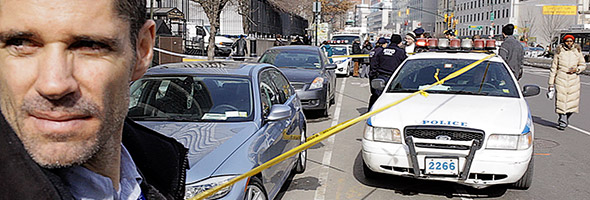
      Reporter Corey Kilgannon, Marcus Yam and myself chased calls over a police scanner...

    • Music Videos for The New York Times Magazine
      Eli "Paperboy" Reed performs the title track from his new album and a proof of concept...
  • Popular Posts

    • Time-Lapse Tutorial
    • Thirst in the Mojave
    • Lessons Learned Shooting with the Canon 5D Mark II
    • Viva Las Vegas
    • Behind the Scenes of LENS
    • After Effects Workflow at The New York Times


Copyright ©2010 digitalartwork.net